ORBIT CONTOUR
Trzy ilustracje na trening i na co dzień. Wybierz motyw i sprawdź, jak wygląda na zegarku.Three illustrations for training and everyday wear. Pick a theme to see it on the watch.
Podgląd tarczyWatch face preview
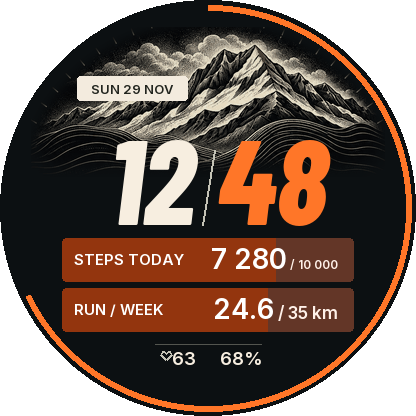
Górska grań i warstwice.A mountain ridge and contour lines.
Górska grań i warstwice.A mountain ridge and contour lines. Rower szosowy na tle welodromu.A road bike at the velodrome. Biegaczka na tle mapy miasta.A runner against a city map. Zobacz w Connect IQView in Connect IQCo ustawisz na zegarkuWhat you can customize
- Motyw i paletęTheme and palette
- Wybierz jedną z trzech ilustracji i paletę Jasną, Ciemną lub Automatyczną. Tryb Automatyczny zmienia paletę o świcie i zmierzchu według lokalizacji z aktualnych danych pogodowych Garmina. Gdy tych danych brakuje, wybiera Ciemną.Choose any theme with Light, Dark or Auto. Auto switches at civil dawn and dusk using the location in recent Garmin weather data. It uses Dark when that data is unavailable.
- Dwa paski postępuTwo progress bars
- Każdy pasek pokazuje dzisiejsze kroki, tygodniowy dystans biegu lub tygodniowy dystans roweru. Źródło, cel i widoczność ustawisz osobno.Each bar can show steps today, weekly running distance or weekly cycling distance. Choose its source and target or turn it off.
- Pierścień, pola danych i Always-OnRing, data and Always-On
- Wybierz źródło pomarańczowego pierścienia oraz odczyty pod zegarem. Ilustracje i paski widać po wybudzeniu. Dla wygaszonego ekranu są trzy tryby Always-On.Choose the orange ring's metric and the readings below the clock. The illustration and bars are visible when the display wakes. There are three Always-On modes.